A Perfect Method for Keeping Unschooling Records
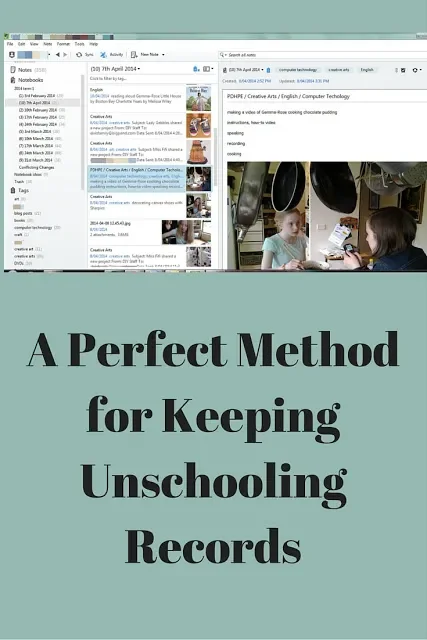
Last term, this old mother learnt a new trick. After using the same method (my old exercise book) for many years, to record my girls' learning activities for registration purposes, I actually considered a new method. And I liked it. I discovered Evernote!
I mentioned this program in my last video. I said, "I think Evernote's the perfect record keeping method for unschooling." That’s a big claim, I know. You might already have a system you think is pretty good. But if you don’t, read on.
If you do a Google search for Evernote and homeschooling, you’ll discover that a few homeschooling mothers, such as Pam, have already written some great articles about how to use this program. There’s even a couple of ebooks you can buy and download. So I thought I’d just share a few basic details about Evernote, and then concentrate on some specific unschooling uses.
So what is Evernote?
It’s a paperless system for getting organised: for keeping records and making other notes. After signing up, you can download Evernote onto your computer. As long as you keep within the upload limit for each month, using Evernote is free. If you want to increase your uploads, the annual charge is very reasonable. Anyway, it doesn’t cost anything to try it out. Evernote has mobile versions too which can be synced with a PC version.
So I downloaded Evernote and started exploring. I discovered that I can make individual notes which can be tagged. Notes can be organised into notebooks. Notebooks can be stacked into bundles.
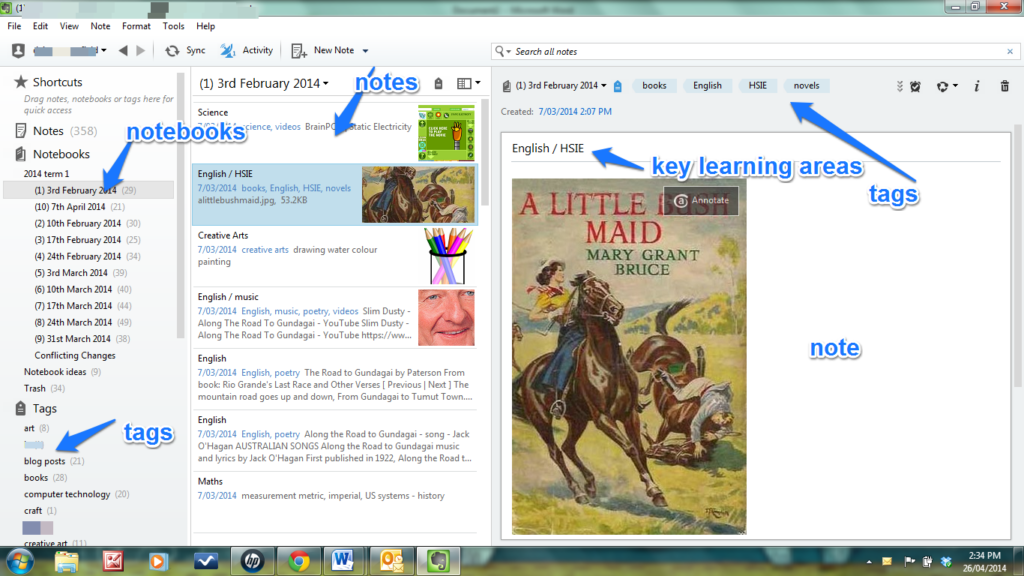
I made a notebook for each week of the school term. I labelled them with a number from 1 -10 and added the date of each week. I stacked 10 notebooks together to represent one term.Each weekly notebook is full of notes, one for each learning activity. I labelled each note according to the key learning area it belongs to eg English, Maths, Science etc. Some notes have more than one label. I also added tags to each note.
That's the basic set-up of my records. Now on to what I really love about Evernote.
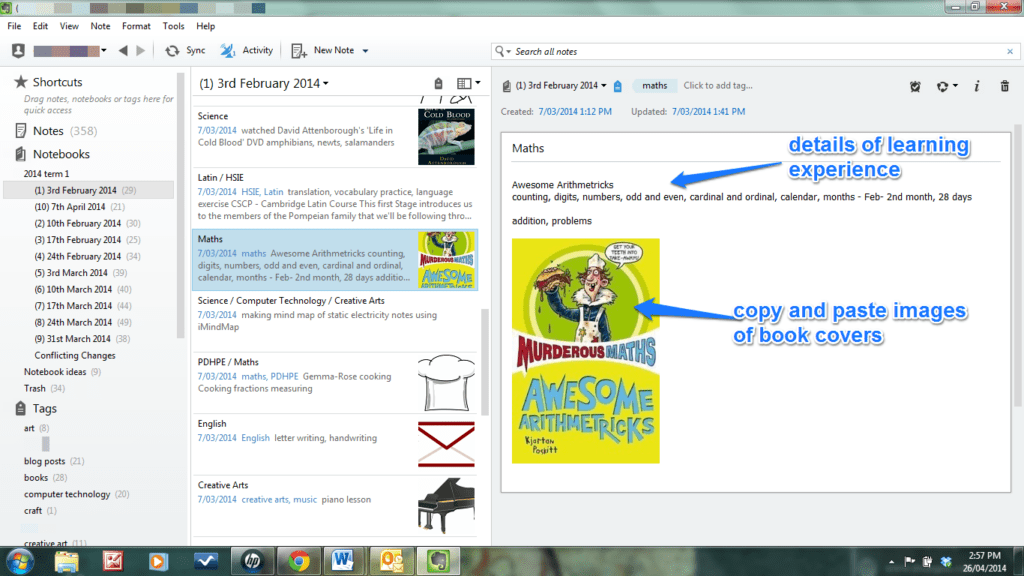
I can record details of each learning experience within each note. I can copy and paste images of books read, or DVDs watched, or games played.
I can clip screenshots of websites we've visited. Here's a shot of a Brainpop video the girls watched, complete with web address. I have similar notes of Youtube videos too.
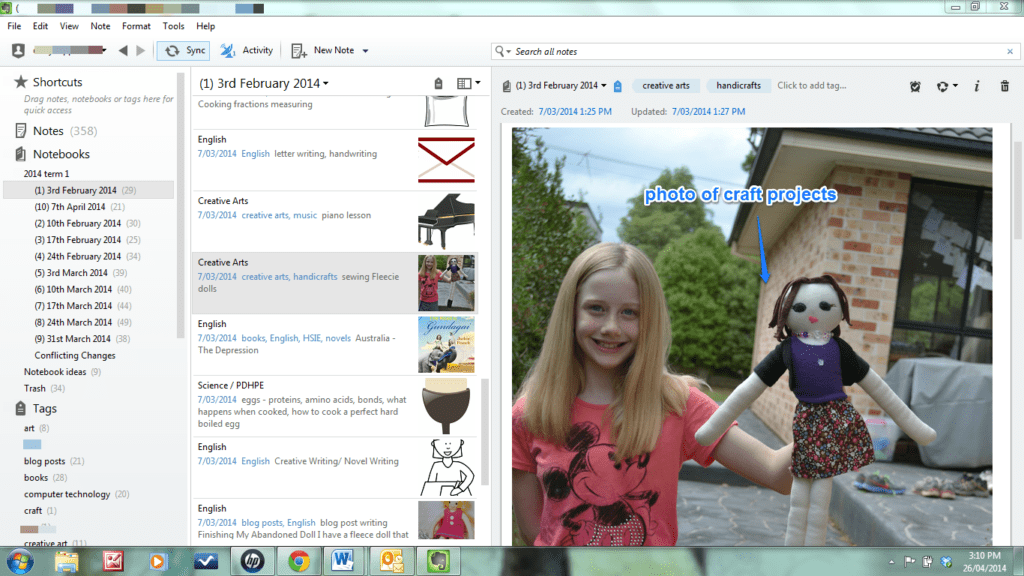
I can take a photo of any craft projects in progress or completed and upload them to a note. I can add a description too.
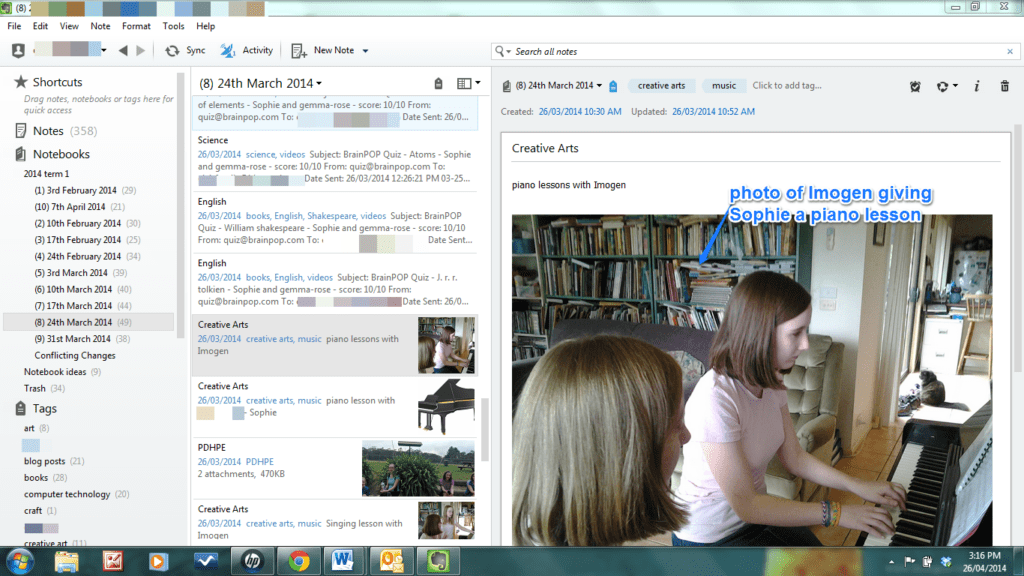
Any learning activity can be photographed and added to a note. I've been snapping photos with my tablet which is automatically synced with my PC. (I could use a smart phone if I had one.) These are added to my Dropbox and then I upload them to an Evernote note. I could also add the photos to a note from my Picasa album, or directly from my tablet photo gallery into the mobile version of Evernote. Lots of ways of doing things! The whole process takes only a couple of minutes. Very simple.
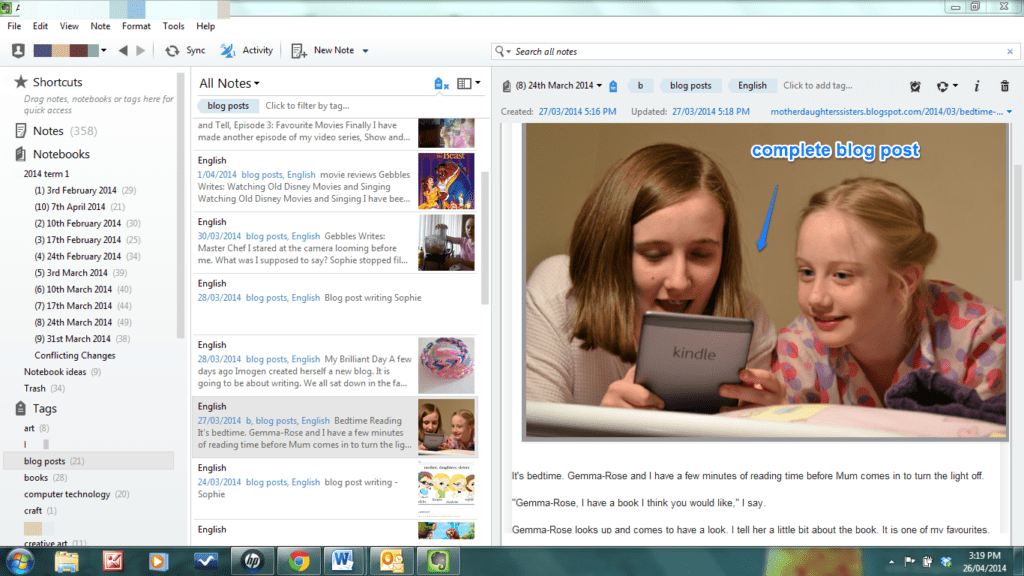
I can import whole articles from either the Internet or my own computer files, into a note. This is a screenshot of a note containing a blog post Sophie wrote. I clipped it directly from her blog. We have imported articles written by other people too.
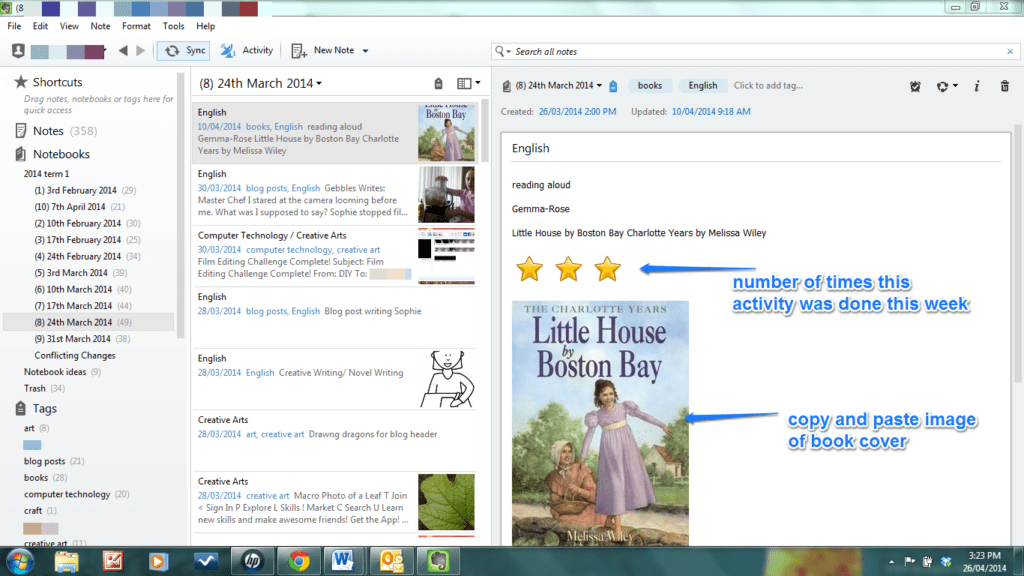
If an activity is done more than once a week, I use the same note. I add a yellow star icon (from my icon file) on the note for each time the activity occurs. This is a note that records Gemma-Rose's reading out loud times. I have also recorded, in a similar way, books I've read out loud, DVDs we've watched together...
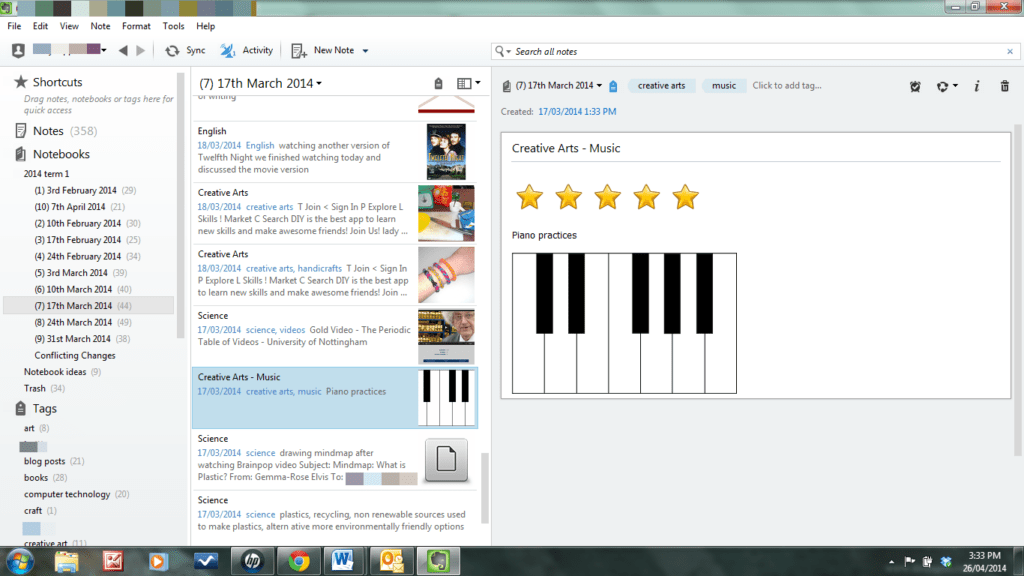
I can make a note for regular activities such as piano and singing lessons, practices, sports activities etc. This note can be copied to each of my notebooks. It's quick and easy and I don't need to retype notes.
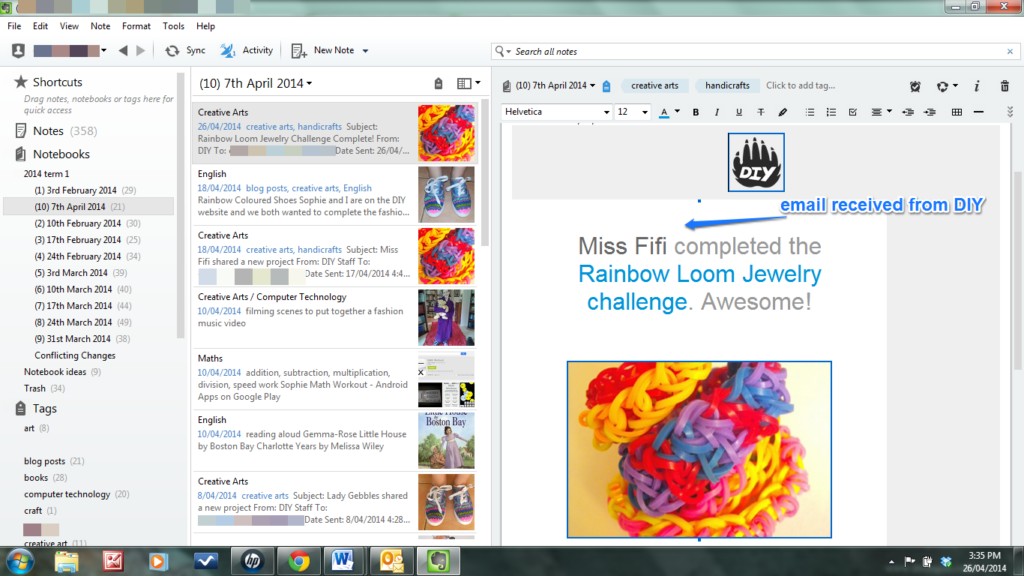
I can import emails into a note. This email is from DIY, telling Sophie she completed the Rainbow Loom jewellery challenge. I have also imported screenshots of her projects directly from the DIY site.
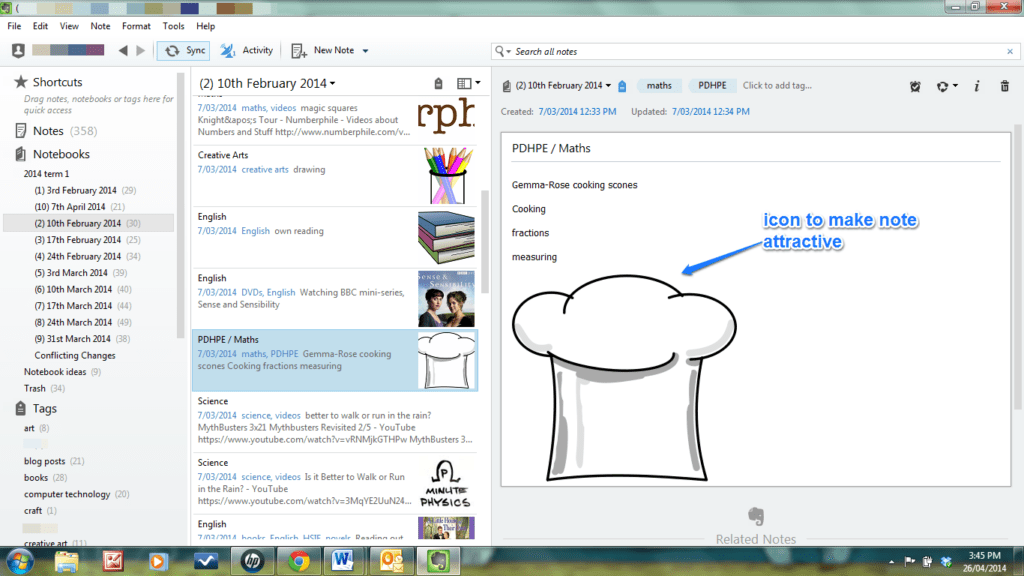
If I haven't got a photo to add to a note, I usually add an icon to make the note look attractive. I've collected a lot of free icons into a file on my computer. Adding one to a note takes only a couple of seconds. I could have added a photo of the scones Gemma-Rose baked but I forgot to take one!
I can reorganise my notes easily by using the tags. For example, I can see all the books we've read by clicking onto the tag 'books'. I can organise all my notes according to a particular key learning area such as English by using the tag 'English'.
Other ideas:
I have imported screenshots of online computer games, activities, quizzes, websites explored...
I've added photos of outings.
I've copied and pasted in lists of library books borrowed.
I've added copies of poems, images of paintings, quotes from Shakespeare, still photos from movies... anything the girls have discovered and found interesting.
I have added Word documents from my computer files or the girls'.
My notes include images of sheet music and music files.
I can add recipes.
If something can be scanned, it can also be imported into Evernote.
If something can be photographed, in it goes!
There are a few additional products that can be downloaded and used in conjunction with Evernote. I added words and arrows to the images in this post using Skitch. I use Evernote Web Clipper to take screenshots, or clip articles or bookmark web pages. These are automatically uploaded into the notebook of my choice.
Summing up: My homeschool notes are full of photos, screenshots, video and website links, blog posts and articles, Word documents, music files, images, emails, book and DVD covers, book lists, descriptions of activities... They represent the diverse learning experiences my girls are experiencing while unschooling. I think my notebooks look rather impressive. I hope the educational authorities do too! The best thing is that I enjoyed putting together last term's records. It was all very quick and easy.
I should add that unschooling isn't neatly divided into such subjects as English, Creative Arts etc. We don't necessarily 'do' science for example. But I am recording my children's learning experiences in my Evernote books in this structured way because that's what the educational authorities expect. I've got used to translating any natural learning into the appropriate educational language. Using the right educational language... that could be the subject of a whole new post!
So what do you think? Have you used Evernote? Or perhaps you'd like to give it a try. If you have some more ideas about how to use Evernote please share. I'm sure I still have lots to discover.
Update 2024
I used Evernote for my homeschool records until my youngest child no longer needed to be legally registered as a homeschooler.
Each of our registration visits was successful. My Evernote digital notebooks never failed to impress our Authorised Person (AP). Scrolling through the hundreds of notes that I created to record all the learning experiences my children encountered each day as they read books, watched movies, YouTube videos and documentaries, made music videos, wrote novels, had discussions and expressed opinions, enjoyed interesting conversations, went on outings, pondered ideas, sang, took photos and did many other things, she could see my children were receiving a fabulous education!
Because I’d labelled all the notes with the required school subjects, it was easy for our AP to see my kids were fulfilling the registration requirements while they followed their interests, helped each other, and lived life within our family.
Our AP was also satisfied with my planning notebook containing ideas and resources my kids could dip into. She accepted this Evernote notebook in place of a formal plan of learning.
At the moment, I don’t have a paid Evernote account. I no longer need to keep homeschooling records, so I don’t want to pay the much increased subscription fee. But I still have access to the Evernote notebooks that I created while my kids were growing up. Occasionally, I look at them, remembering those wonderful days.
I’m glad I found a way to showcase my kids’ learning, so it satisfied the education department, allowing my family to continue unschooling without compromise. For us, Evernote was the perfect method of keeping our unschooling records!
Other Evernote Posts
This was my first Evernote post. Over the years, I wrote many others as I discovered new ways to use it.
The Unschool Challenge
I included many ideas for recording unschool learning experiences in my book, The Unschool Challenge. Why not check it out?
Update 2026
Evernote subscriptions have become very expensive. But there are lots of other notes apps that can be used for homeschool record keeping. The ideas in this post can probably be used outside of Evernote. My current favourite notes app is Craft.